
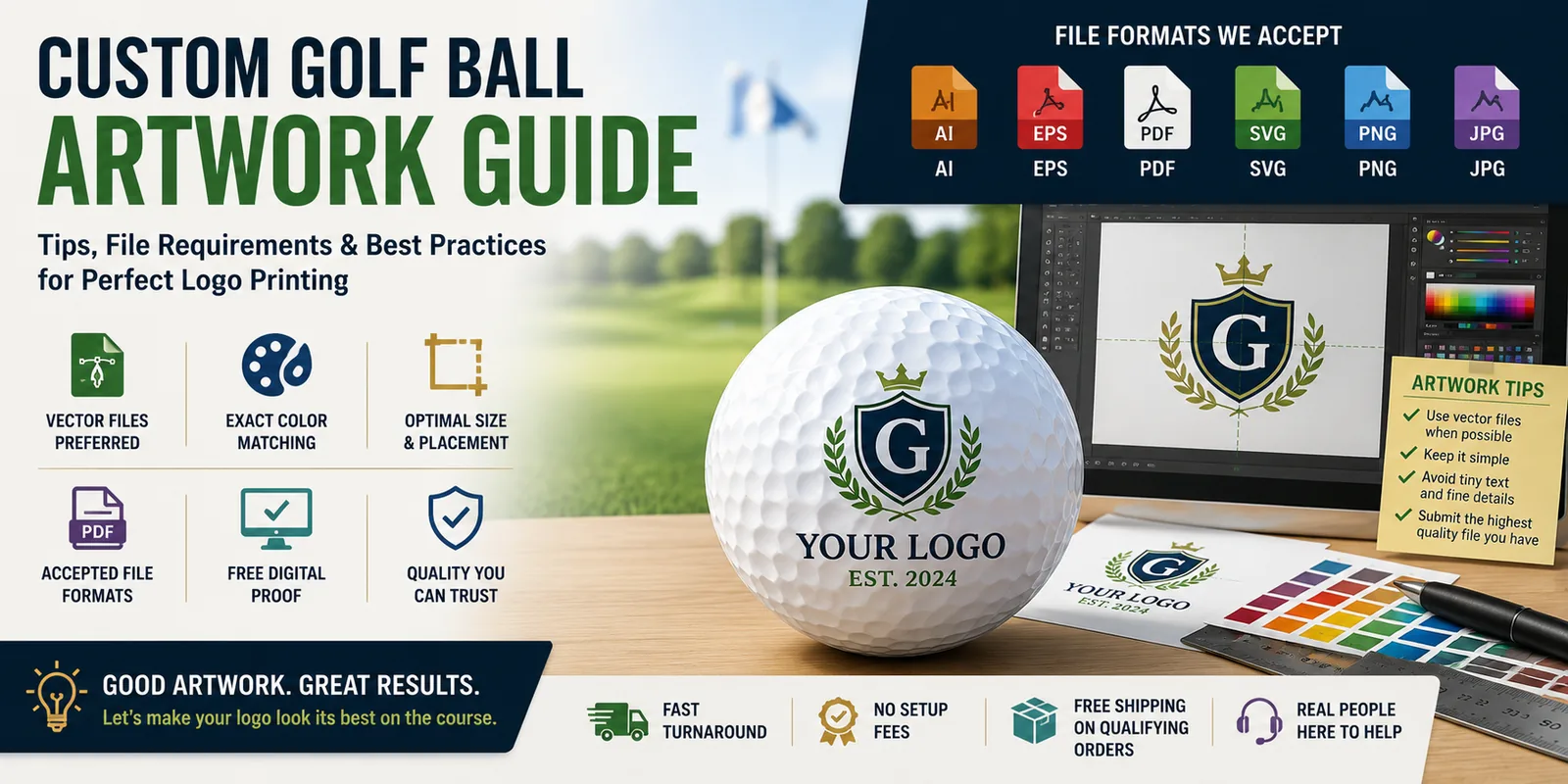
Great custom golf balls start with great artwork. The quality, colors, detail, and file format of your logo can all affect how the finished imprint appears on a golf ball.
This guide explains how to prepare artwork for your custom logo golf balls, including preferred file formats, vector artwork, colors, small text, digital proofs, and what to do if you don’t have a production-ready logo.
Don’t have perfect artwork? Don’t worry. Send us the best version of your logo that you have, and we’ll review it before your order goes into production.
What Artwork Files Are Best for Custom Golf Balls?
Whenever possible, vector artwork is preferred for logo printing because it can be resized without losing image quality.
Common artwork formats include:
- AI – Adobe Illustrator vector artwork
- EPS – Scalable vector artwork
- PDF – May contain vector artwork depending on how the file was created
- SVG – Scalable vector graphics
- PNG – High-resolution raster artwork, preferably with a transparent background
- JPG/JPEG – Can sometimes be used if the image is sufficiently large and clear
If you have an AI, EPS, SVG, or vector PDF version of your logo, that’s generally the best file to send.
What Is Vector Artwork?
Vector artwork is created using mathematical shapes and paths rather than individual pixels.
That means a vector logo can be enlarged or reduced without becoming blurry or pixelated.
This is particularly useful for custom printing because the artwork may need to be adjusted to fit the printable area of the golf ball.
Vector files commonly use formats such as AI, EPS, SVG, and some PDFs.
Can I Use a PNG or JPG Logo?
Often, yes.
A high-resolution PNG can work well, particularly when the logo has clean edges and a transparent background.
JPG files may also be usable, but image quality becomes especially important. Small images copied from websites, screenshots, social media graphics, or heavily compressed JPG files may not contain enough detail for high-quality reproduction.
If PNG or JPG is all you have, send us the highest-resolution original version available rather than a screenshot of the logo.
Avoid Screenshots Whenever Possible
Taking a screenshot of your logo usually reduces its quality.
Instead, look for the original artwork used for your:
- Website
- Business cards
- Signs
- Uniforms
- Marketing materials
- Company stationery
- Vehicle graphics
Your graphic designer, marketing department, sign company, printer, or web designer may already have a vector version of your logo.
How Much Detail Can Be Printed on a Golf Ball?
A golf ball has a relatively small printable area, so artwork that looks great on a website, sign, or brochure may need to be simplified when printed at golf-ball size.
Very fine details can become difficult to reproduce clearly.
Examples include:
- Extremely small text
- Very thin lines
- Complex gradients
- Fine shadows
- Intricate illustrations
- Detailed photographic elements
Simple, bold artwork generally reproduces especially well on a golf ball.
Keep Small Text Readable
If your logo includes a tagline, website address, phone number, or other small text, remember that the entire design must fit within a relatively small imprint area.
A tagline that is perfectly readable on a computer monitor may become extremely small when the entire logo is reduced to golf-ball size.
In some situations, removing very small secondary text can produce a cleaner and more recognizable finished logo.
One-Color vs. Multi-Color Logos
Both simple one-color logos and more complex multi-color artwork can look excellent on golf balls.
One-Color Logos
One-color artwork can provide a clean, classic appearance and works particularly well for:
- Corporate logos
- Country clubs
- Law firms
- Golf tournaments
- Schools
- Organizations with simple brand marks
Multi-Color Logos
Multi-color printing can help preserve important brand colors and make more complex logos recognizable.
The available printing method and color options may depend on the golf ball, manufacturer, artwork, and quantity selected.
Will the Printed Colors Match My Screen Exactly?
Not necessarily.
Computer monitors, phones, printers, inks, and different materials can all display color differently. A color viewed on a backlit screen may not look exactly the same when physically printed on a golf ball.
If your organization has specific brand-color requirements, provide any available color information along with your artwork.
What About White in My Logo?
Because most golf balls have a white surface, white elements in a logo may behave differently than they would when printed on a colored background.
Depending on the artwork and printing method, portions of the white golf ball itself may effectively become the white areas of the design.
This is another reason reviewing the artwork proof before production is important.
What Is the Golf Ball Imprint Area?
The available imprint area varies by manufacturer, golf ball model, and printing method.
Rather than designing your artwork around an assumed universal size, submit your original logo at the best quality available. The artwork can then be evaluated for the selected golf ball.
Should I Resize My Logo Before Sending It?
Usually, no.
It’s better to send the highest-quality original artwork you have rather than manually shrinking it to golf-ball size.
Reducing a raster image before submitting it can permanently remove image information that may have been useful during artwork preparation.
What Happens After I Submit My Logo?
The basic custom golf ball artwork process is straightforward.
1. Choose Your Golf Ball
Start by selecting your preferred ball from our custom logo golf ball selection.
2. Submit Your Artwork
Provide the highest-quality version of your logo available.
3. Artwork Is Reviewed
Your artwork is evaluated for reproduction on the selected golf ball.
4. Review Your Digital Proof
A digital proof allows you to review the logo placement and appearance before production.
5. Approve the Proof
Carefully check the artwork, spelling, colors, and overall appearance.
6. Production Begins
After the required approval process is complete, the order can move into production.
Why the Digital Proof Is Important
Your digital proof is one of the most important steps in ordering custom golf balls.
Before approving it, check:
- Logo orientation
- Spelling
- Text
- Colors
- Artwork proportions
- Overall appearance
Don’t approve a proof until you’re satisfied with how the artwork is presented.
Artwork Tips for Business Logos
For company logos, we recommend sending the original corporate artwork whenever possible.
If your standard logo contains a large tagline or extensive text, consider whether the primary logo mark alone would produce a cleaner result at golf-ball size.
Businesses planning customer gifts or corporate tournaments can also visit our Custom Logo Golf Balls by Industry guide for ideas specific to different industries.
Artwork Tips for Golf Tournaments
Tournament artwork often combines several elements, such as an event name, organization logo, sponsor information, or tournament year.
Trying to fit all of that information into one small imprint can make the finished design difficult to read.
Prioritize the most important visual elements and keep the design as clean as possible.
If you’re organizing an event, our Corporate Golf Tournament Planning Guide can help with additional tournament planning, gifts, sponsorships, and logistics.
Artwork Tips for Schools & Universities
School logos, mascots, athletic marks, and university trademarks should only be submitted by organizations or individuals authorized to use them.
If you’re ordering for a school golf program, see our Custom Golf Balls for High School & College Golf Teams guide.
Artwork Tips for Country Clubs
Country club crests and logos often contain fine details and small text. Providing original vector artwork is particularly helpful with these more intricate designs.
See our Custom Logo Golf Balls for Country Clubs guide for member events, tournaments, leagues, and pro shop ideas.
Don’t Have Production-Ready Artwork?
Don’t let that stop you from requesting custom golf balls.
If you don’t know whether your artwork is vector, high resolution, or suitable for printing, send us the best original file you have.
We’ll determine what can be done and let you know if a better-quality file or artwork adjustment is needed.
Frequently Asked Questions About Golf Ball Artwork
What is the best logo file format for custom golf balls?
Vector artwork such as AI, EPS, SVG, or a vector PDF is generally preferred because it can be resized without losing quality. High-resolution PNG artwork may also be suitable.
Can I send a JPG?
Yes, depending on its resolution and quality. Send the largest and clearest original JPG available rather than a screenshot or compressed copy.
Can you print a full-color logo?
Many multi-color logos can be reproduced, although available printing options depend on the selected golf ball, manufacturer, artwork, and order specifications.
Can you print photographs on golf balls?
Available options vary depending on the product and printing method. Contact us with the image and golf ball you’re considering so the artwork can be evaluated.
Will I see my logo before the golf balls are printed?
A digital proof can be provided as part of the artwork approval process before production.
What if my logo is too detailed?
Artwork may need to be simplified or adjusted so important elements remain recognizable at golf-ball size.
Should I convert my JPG to an SVG myself?
Simply saving or converting a low-resolution image into an SVG file does not automatically create true vector artwork or improve the original image quality. If you’re unsure, send us the best original file you have.
Ready to Put Your Logo on a Golf Ball?
You don’t need to be a graphic designer to order custom golf balls. Start with the best version of your logo you have, choose your golf ball, and we’ll help you through the artwork process.
Browse Custom Logo Golf Balls from Titleist, TaylorMade, Callaway, Bridgestone, and other leading brands at GOLOGOLFBALLS.COM.